> ## Documentation Index
> Fetch the complete documentation index at: https://docs.nexus-md.com/llms.txt
> Use this file to discover all available pages before exploring further.
# Share Images with Someone Outside
> This page is a step by step guide on how to share images
* Log in to the main dashboard at [https://dashbaord.nexus-md.com](https://dashbaord.nexus-md.com)
* After a successful login, use the search box in the top-left corner to search for the patient
* Select the required patient from the filtered results
* Click Share Studies. When the modal opens, select the studies you want to share from the list, enter the recipient’s email address, and specify the number of days for which access should be granted
* After clicking Share, the entered email address will receive an email containing a URL to view and download the studies
* The recipient can click the URL and enter the patient’s date of birth as the password to access the images
* In the viewer, the user will be able to view and download the images.
## Full Video Of All Steps
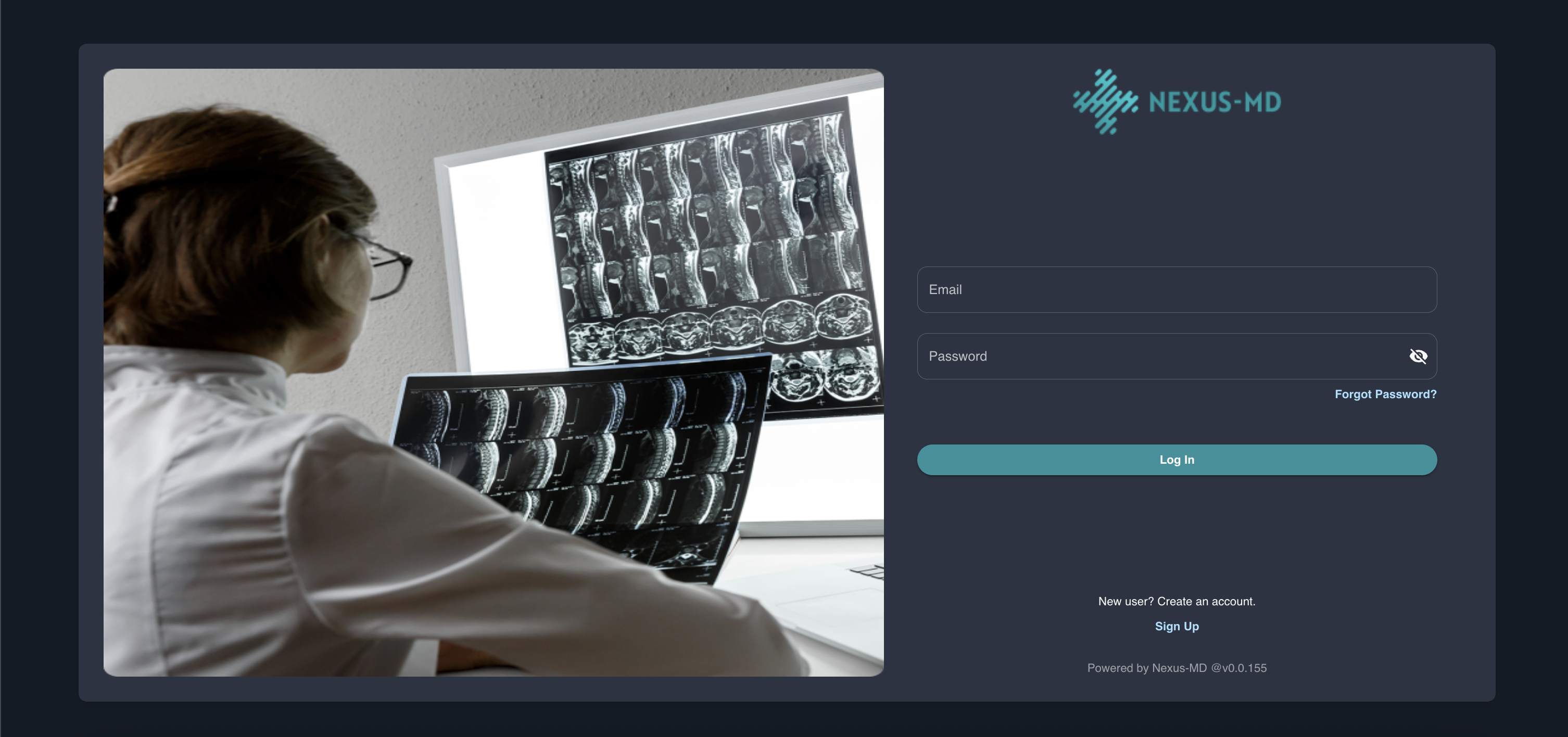 * After a successful login, use the search box in the top-left corner to search for the patient
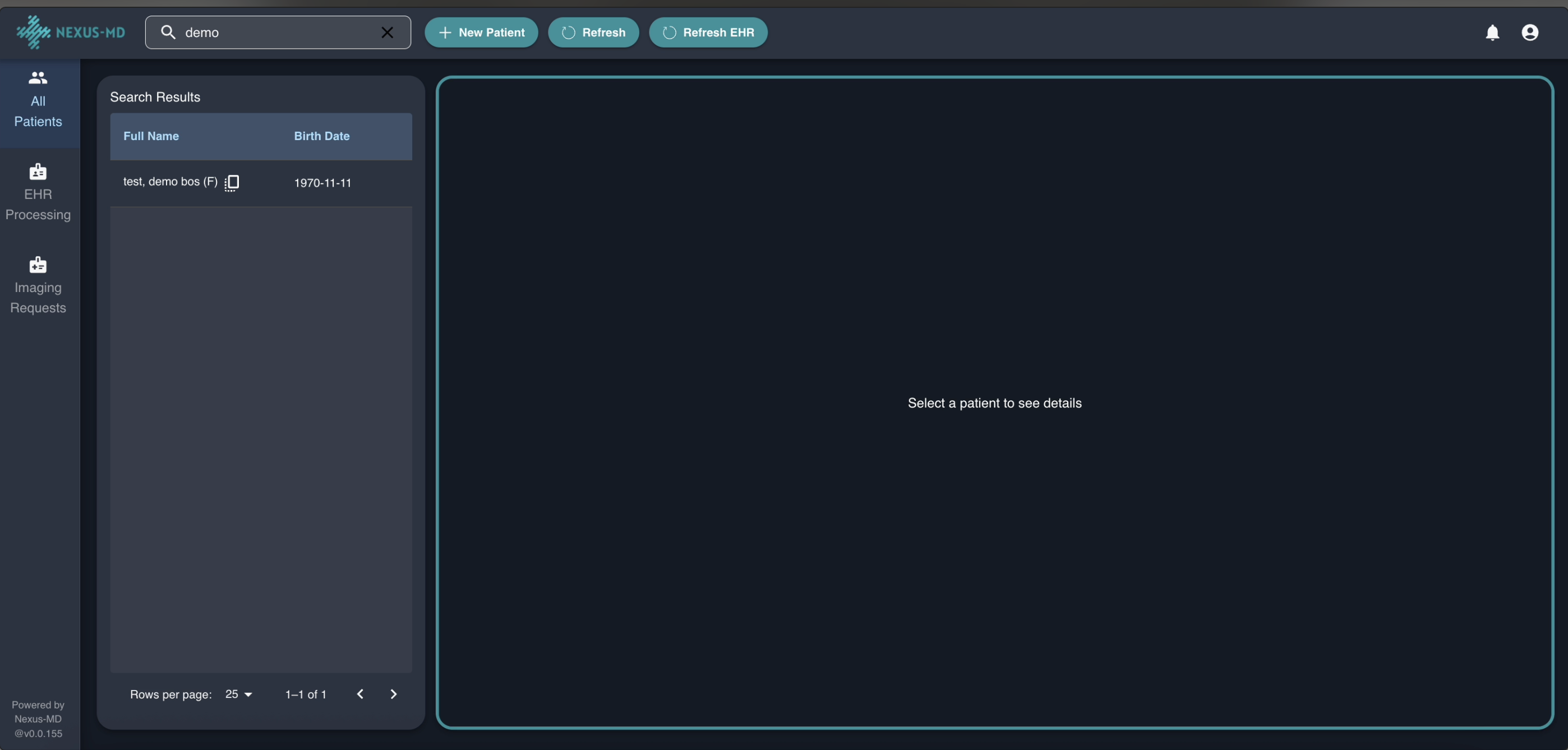 * Select the required patient from the filtered results
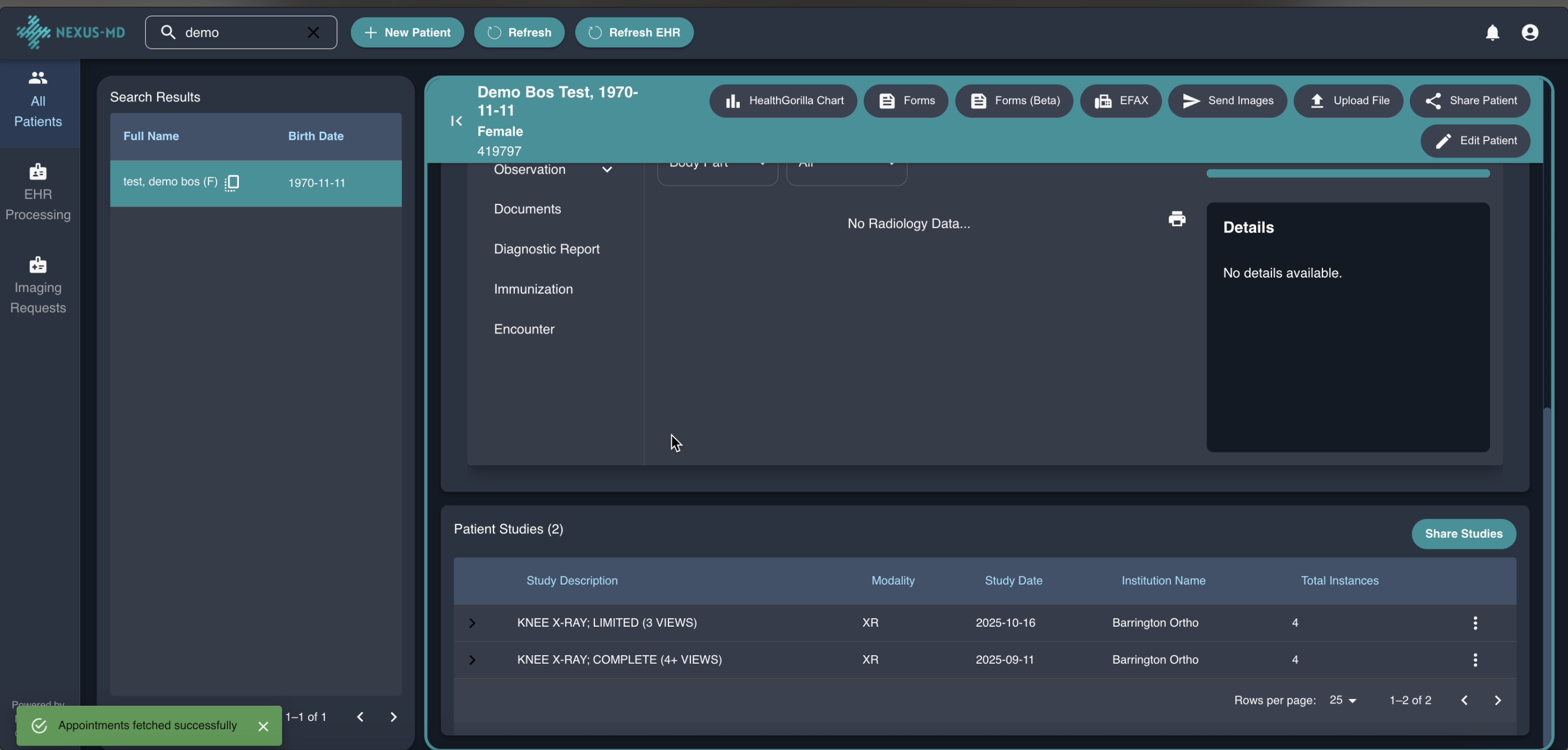 * Click Share Studies. When the modal opens, select the studies you want to share from the list, enter the recipient’s email address, and specify the number of days for which access should be granted
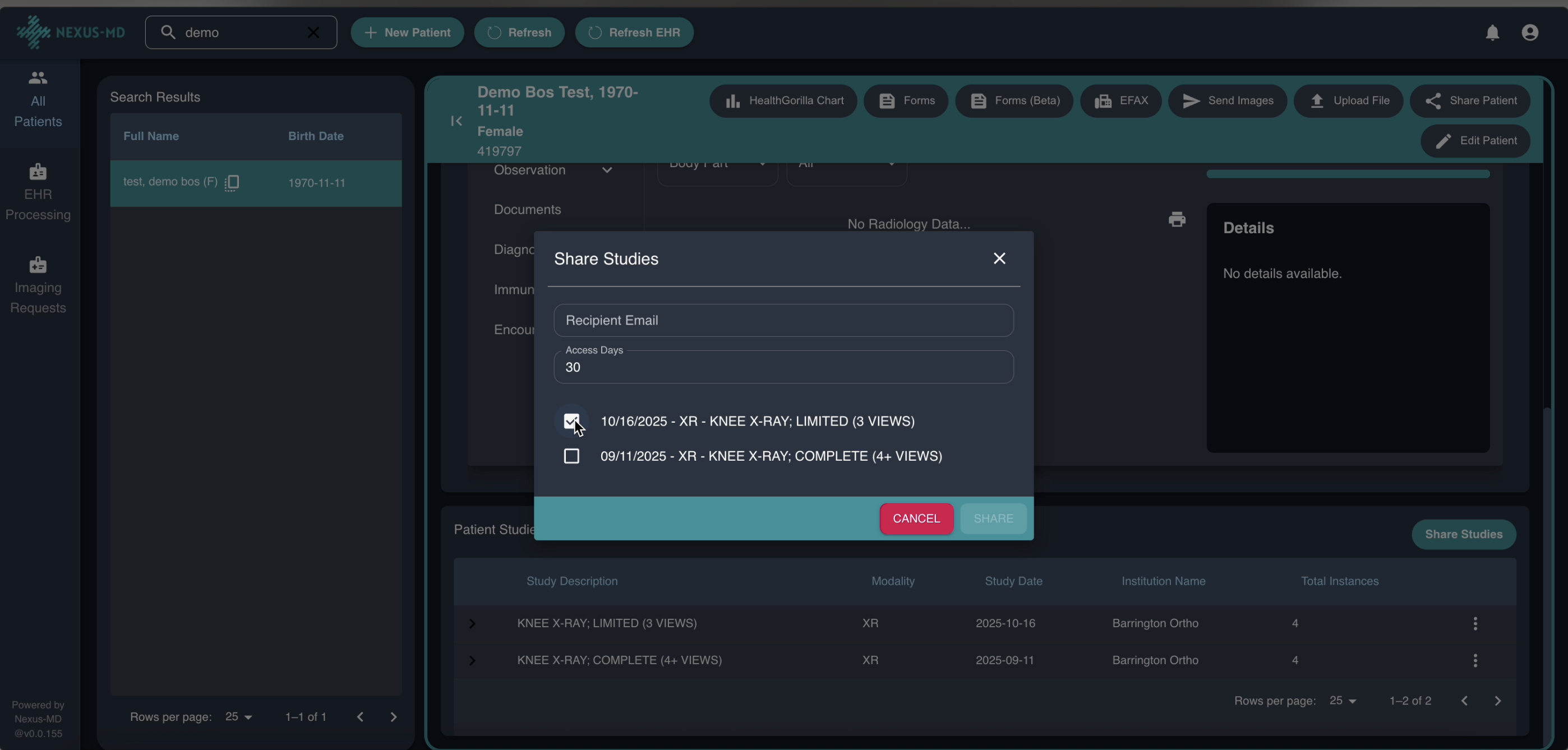 * After clicking Share, the entered email address will receive an email containing a URL to view and download the studies
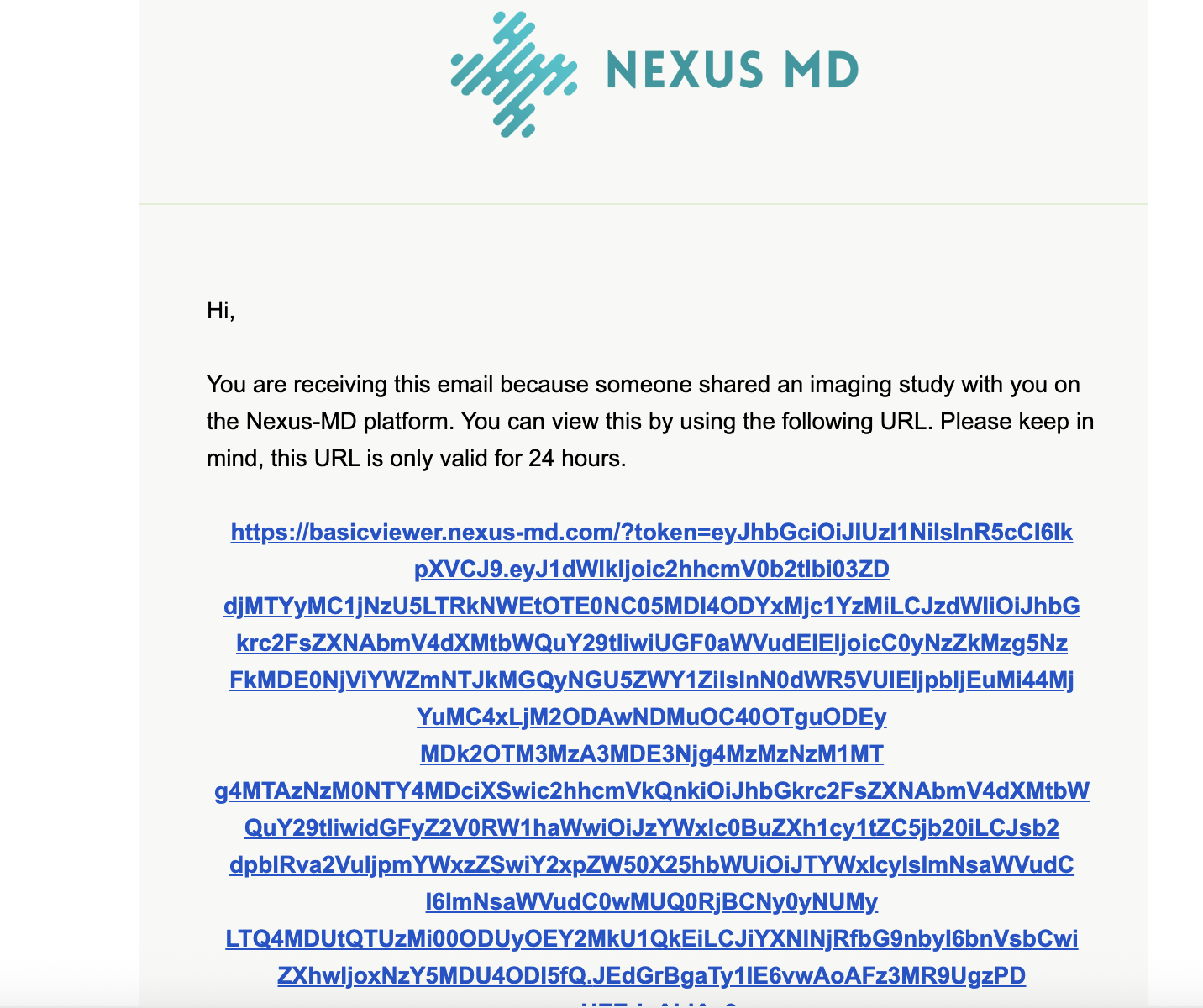 * The recipient can click the URL and enter the patient’s date of birth as the password to access the images
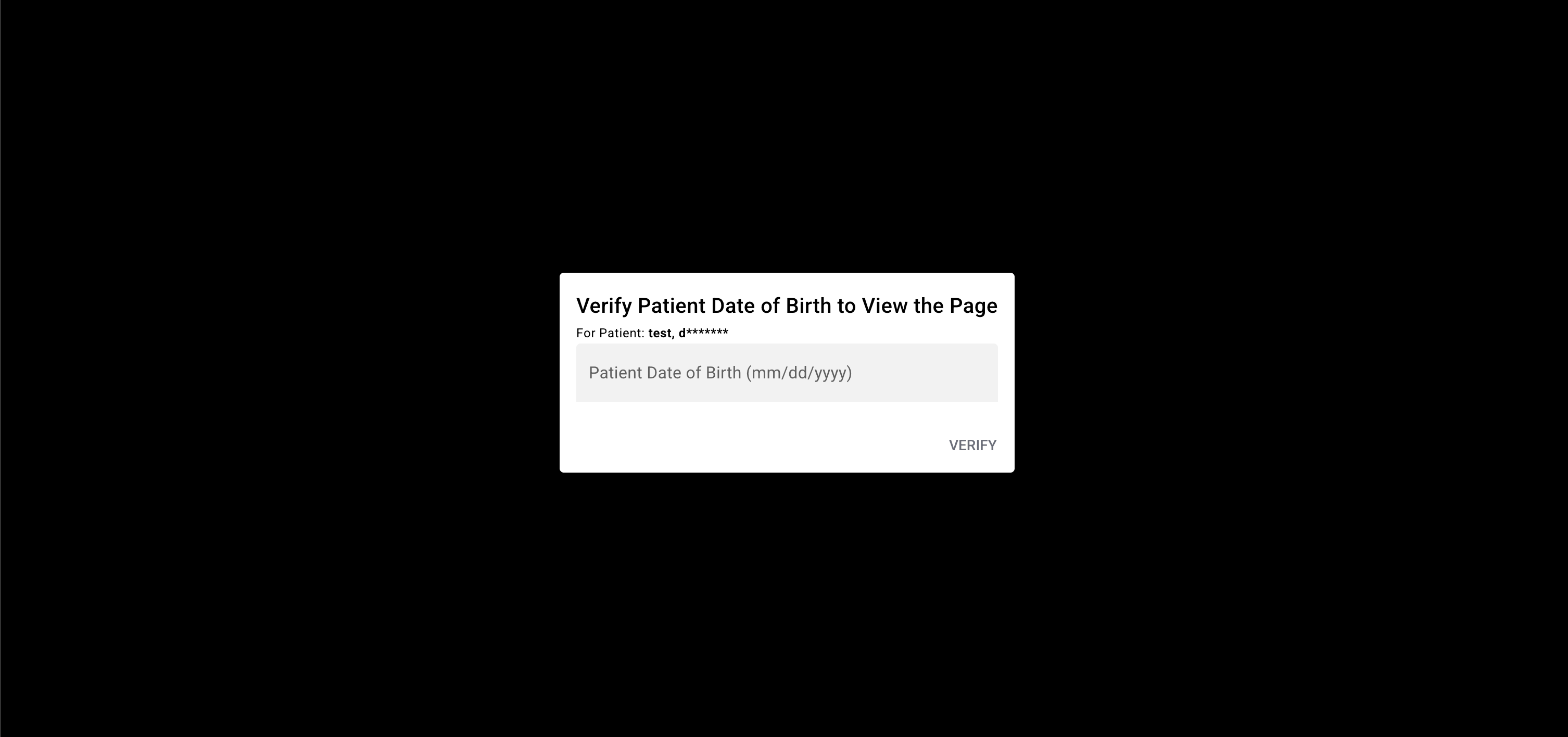 * In the viewer, the user will be able to view and download the images.
## Full Video Of All Steps
* In the viewer, the user will be able to view and download the images.
## Full Video Of All Steps