- Go to settings > Practice Manager Admin
- Click on “Embedded App User Subscriptions
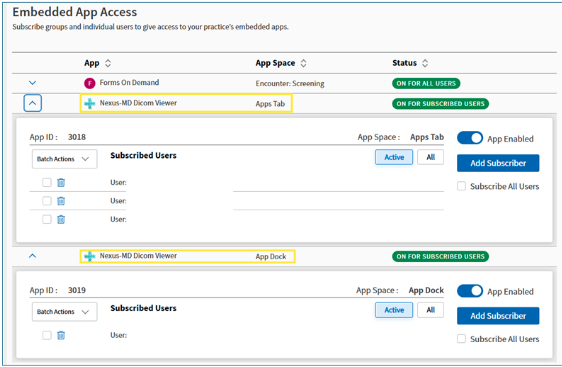
- Select the “Nexus-MD Dicom Viewer”, in the App Space, use the entry with “Apps Tab”
- You can enable for all users or you can add specific subscribers or groups.
- Select the “Nexus-MD Dicom Viewer”, in the App Space, use the entry with “Apps Dock”
- You can enable for all users or you can add specific subscribers or groups.